We knew from the start what support workers wanted: their whole day, in the phone in their pocket. So, we started with the thing that matters most, seeing your shifts, and got it right.
That first release brought the shape of a shift into one place. PIN login instead of passwords and two-factor prompts at the start of every shift. A shift calendar showing the week ahead. Participant profiles, clock in and clock out, shifts for casual employees accepted straight from the phone, and shift notes written where the work happened rather than hours later at home.
Support workers love having their day in one place, and that was always the plan. Get the foundation right, then build out everything else you might need to know or do while on shift. That’s exactly what v1.1 is about.
What’s next: everything around the shift
With shifts sorted, the exciting part begins, bringing every record into the moment it happens.
Take an incident at four in the afternoon. Until now, the support worker finished the shift, drove home, and wrote the report at nine, from memory, hours away, on a form built for a much bigger screen. The most important record in the system was the one written furthest from the moment it described. There’s a real opportunity there, and v1.1 takes it.
The same goes for everything else. A hazard worth noting. A communication book entry. Medication intake. Now each one can be captured on the spot, on the phone, while it’s fresh, written once, and never left unwritten.
It’s a simple shift with a big payoff: the record now lives right where the support worker is. Every part of the day becomes quick to capture, easy to trust, and ready the moment the provider needs it, more time back on care, and better records for everyone.
What we built
Six things changed in v1.1. Here they are.
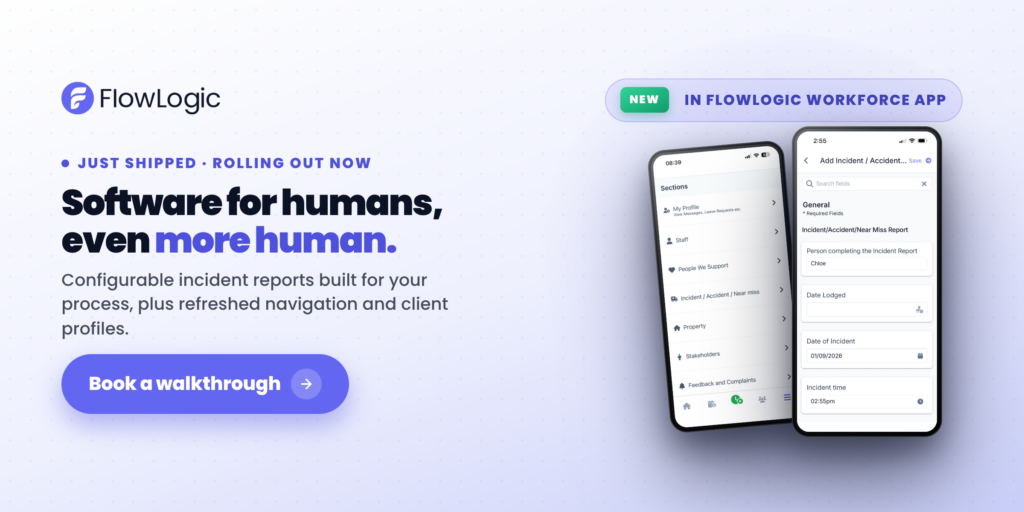
Incident reports are now native in FlowLogic Workforce. This is the headline, and it is the change we flagged as coming next when we launched v1.
A support worker can start a new incident report during a shift or after it, capture the detail while it is still fresh, and submit it, all on a form built for a phone screen. Mandatory fields are respected before saving, exactly as your organisation has configured them in FlowLogic. The report syncs straight back for follow-up and compliance workflows. Nothing sits on a phone waiting to be rekeyed by someone else.
Participant records are built into the app. Sections, Primary Records and Secondary Records are all native. Support workers reach them from the main menu and work through them the same way they would in FlowLogic, only faster on a phone. Open a Section and see what sits inside it. View, add and edit a Primary Record. See Secondary Records in tab or table view, then open one to view, add or edit. Tabs can be organised so the records used most often are where the worker wants them.
That covers medication intake and summaries, hazard and near-miss reports, communication book entries, health reports and anything else that a support worker might need to see or do throughout the day. Medication charts in particular are the record most often needed mid-shift and least suited to a desktop form, and they are now native like the rest.
Participant information is ready before the shift starts. Open a participant and move between their information using the tabs across the top: personal details including names, pronouns, gender and date of birth, participant photos and attached documents, goals, communication needs, and whatever else your organisation has configured. Empty fields are clearly marked, so a support worker can see what still needs filling in rather than guessing.
Search inside a record. Records get long. Instead of scrolling, search for what you need. The search looks at field names and jumps straight to the field.
Contact details are actionable. Tap a phone number to call or text on an organisation device. Tap an address to open it in the phone’s maps app for directions. Available from the participant list, from the participant card on a shift, and from inside the record itself.
The app opens where the day starts. The Roster Calendar is the default screen. The navigation bar has been refreshed, with Home, Shifts, Clients and Menu, and Clock On always within reach. Offered shifts can be accepted or rejected straight from the shift card, and cancelled shifts can be toggled in and out of view.
What it means for providers
Two things are worth spelling out, because they are the questions we get asked first.
Already using FlowLogic Workforce? Update to the latest version of the app to unlock these new features.
There is nothing to rebuild. Native records honour your existing record and form configuration, including custom fields, permissions sections and mandatory items. The forms your organisation has already designed are the forms your support workers will see on the phone. No parallel mobile setup, no second version to maintain, no configuration project attached to this release.
Beyond that, the benefit is the one we have been chasing since the first version: records that are written closer to the event, by the person who was there, into the system where they belong.
Incident reports are the change people will talk about. The other five are the ones that change what a shift feels like.
Getting started
Already using FlowLogic Workforce? Update to the latest version of the app to unlock these new features.
If you would like to see how v1.1 maps to your organisation’s records and workflows, talk to our team and we will walk you through it.