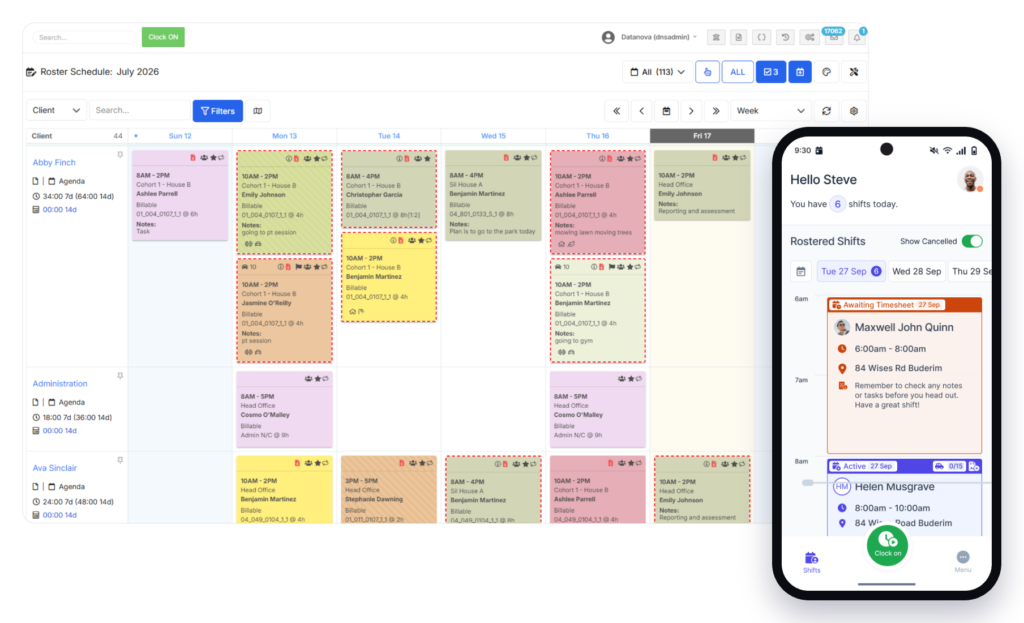
Most NDIS rostering problems don’t announce themselves. A shift gets filled by the wrong worker. A credential expires without anyone noticing. A session gets delivered but never billed. Each one is small on its own. Together, they add up to unfilled shifts, rejected claims and compliance gaps that surface at audit.
These five NDIS rostering mistakes show up across providers of every size. Here’s how to spot them and what to fix.
At a glance: The five most common NDIS rostering mistakes are filling shifts without checking credentials, no system for last-minute replacements, shifts not linked to billing, ignoring SCHADS Award requirements and not tracking unfilled shifts.
The 5 Mistakes
- Filling shifts without checking credentials
- No system for last-minute replacements
- Shifts aren’t linked to billing
- SCHADS Award requirements are ignored in scheduling
- Unfilled shifts aren’t tracked or reported
1. Filling Shifts Without Checking Credentials
The first wave of NDIS Worker Screening Checks started expiring in February 2026 with no grace period. If a worker’s clearance has lapsed and they’re rostered for a shift, that’s a compliance breach. Under the Integrity and Safeguarding Bill, penalties for these breaches have increased significantly.
The problem is that most providers check credentials at onboarding and then rely on memory or a spreadsheet to track renewals. At 10 staff, that works. At 50, things slip.
The fix: Your rostering system should check every worker’s credential status before confirming a shift. Automated alerts at 90, 60 and 30 days before expiry ensure renewals happen before the clearance lapses.
2. No System for Last-Minute Replacements
A worker calls in sick at 7am. The coordinator scrolls through a contact list, calls four people, checks availability manually and hopes someone is qualified for that support type. The shift either goes unfilled, gets filled late or gets covered by someone who isn’t the right match.
The fix: Your system should show available workers filtered by qualification, screening status, location and client preferences. Finding a qualified replacement should take minutes, not calls.
If these first two mistakes sound familiar, your rostering process is likely creating compliance risk your team can’t see. Book a 15-minute walkthrough with FlowLogic to see how credential-aware rostering works.
3. Shifts Aren’t Linked to Billing
Under the new digital claims system, every claim is cross-checked against your service delivery records. If a shift is completed but the session data doesn’t flow through to your billing system, the claim either doesn’t get generated or gets generated with mismatched data.
This is the most expensive rostering mistake. Every disconnected shift is potential lost revenue.
The fix: Your roster should generate claims automatically from completed shifts. Service type, duration, participant, support item and rate should all carry through without manual re-entry. Keep your workforce, scheduling and billing data connected in one system.
4. SCHADS Award Requirements Are Ignored in Scheduling
The Social, Community, Home Care and Disability Services (SCHADS) Award sets requirements around minimum shift lengths, break entitlements, overtime thresholds and penalty rates. Rostering software that doesn’t factor these in creates payroll issues, staff complaints and potential Fair Work exposure.
The fix: Your rostering system should enforce SCHADS rules automatically. Minimum shift lengths, required breaks between shifts and overtime triggers should be flagged before the roster is published, not after payroll discovers the problem.
5. Unfilled Shifts Aren’t Tracked or Reported
If you don’t know how many shifts went unfilled last month, which sites had the most gaps and which service types were hardest to cover, you can’t fix the problem. Many providers only notice unfilled shifts in the moment and never analyse them as a pattern.
The fix: Your system should log every unfilled shift with the reason (no available staff, credential gap, cancellation, no-show). Run a monthly report and look for patterns by site, service type or time of week. This data tells you where to recruit, train or restructure.
We covered the broader compliance picture in our post on NDIS compliance deadlines for FY27.
Are These Mistakes Costing You?
If your rostering process hits two or more of these five problems, it’s creating hidden costs in rejected claims, unfilled shifts and compliance risk. The fix is almost always a system problem, not a people problem.
Book a demo with FlowLogic to see how we connect rostering, credentials, billing and reporting in one platform built for NDIS providers.
Frequently Asked Questions
What is the biggest NDIS rostering risk in 2026?
Filling shifts with workers whose credentials have expired. The first wave of five-year NDIS Worker Screening Checks started expiring in February 2026 with no grace period.
Should NDIS rostering software enforce SCHADS Award rules?
Yes. Minimum shift lengths, break entitlements and overtime thresholds should be built into the scheduling logic. Manual SCHADS compliance is error-prone and creates payroll risk.
How does rostering connect to NDIS billing?
Under the digital claims system, claims are cross-checked against service delivery records. If your roster generates claims automatically from completed shifts, the data matches by default.
What should I track about unfilled shifts?
Log every unfilled shift with the reason (no available staff, credential gap, cancellation, no-show), the site and the service type. Monthly reporting on these patterns tells you where to focus recruitment and training.
Can rostering software filter replacements by qualification?
Yes. Systems like FlowLogic filter available workers by qualification, screening status, location and client preferences so coordinators can find a qualified replacement in minutes.